
The High Cost of Digital Comfort
In the age of the planned-obsolescence machine, we’ve been sold a seductive lie: that total, frictionless synchronization is the pinnacle of human achievement. We’ve been conditioned to want every photo, every Slack notification, and every cached password available on every screen at all times. But as a veteran who’s spent decades with a screwdriver in one hand and a coffee in the other, I know that comfort always has a hidden cost. In Silicon Valley’s hype cycle, that cost is your privacy and your security.
The modern “main device” is a disaster waiting to happen. It’s cluttered with years of personal data, open sessions, and digital distractions that act as a massive attack surface. If you’re like me – constantly tinkering with unverified scripts or testing the latest software – your primary machine is a liability. I’ve stopped trying to secure my “everything” device and instead moved toward Operational Isolation. The strategy is simple: move the risky and the professional onto a secondary, sacrificial layer of hardware. And I did it using a decade-old machine that cost me exactly zero dollars out-of-pocket.
The Late 2015 MacBook Pro in 2026
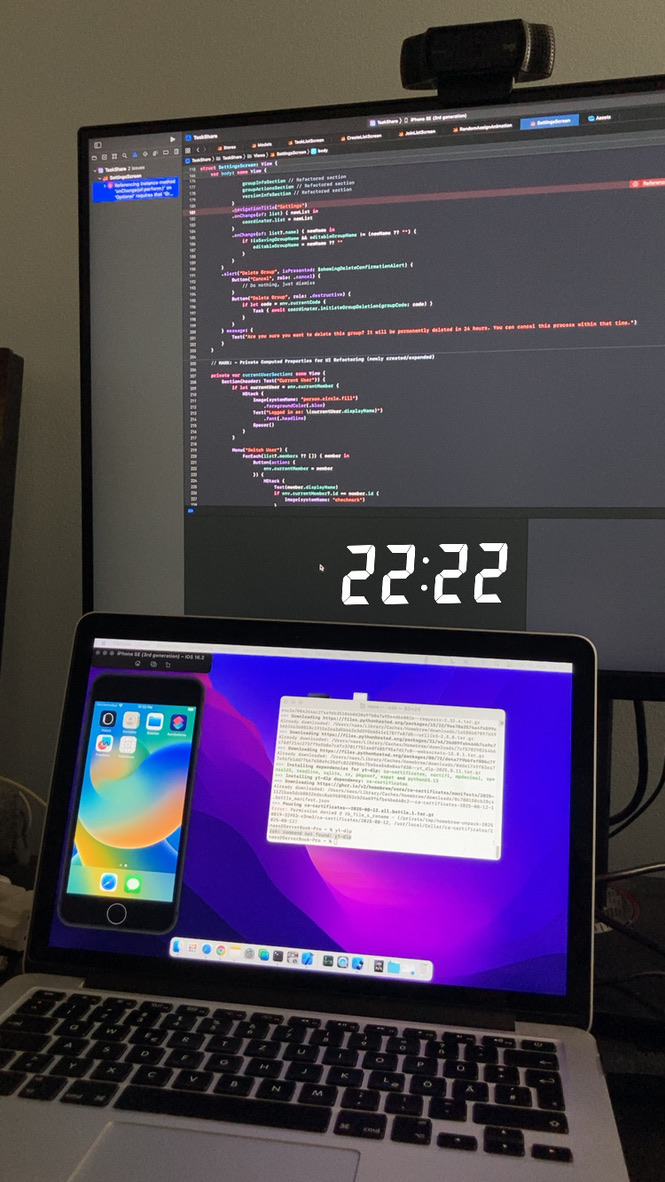
The late 2015 MacBook Pro is a legend for a reason, and in 2026, it’s proving to be the ultimate middle finger to the “upgrade or die” mentality. My specific unit spent the last few years as a headless workhorse, acting as a server for Python scripts. It stayed up 24/7, proving it’s a survivor, not a relic. Because I had the foresight to get the display replaced under Apple’s “Stain Gate” warranty a few years back, the screen is essentially factory-fresh.
Let’s talk bare metal performance. For 90% of what I do – heavy browsing and document editing – this machine is perfectly capable. It handles a modern browser stack without the thermal throttling or fan-spin hysteria you’d expect from a decade-old chassis. But the real “Legacy Win” is the ports. In our current dongle-hell reality, having an integrated SD card slot feels like a superpower. I’m deploying this machine as my primary driver for an upcoming trip to Canada specifically because of that slot. I can pull photos off my camera in the field without hunting for a proprietary adapter that I probably left in a hotel drawer. This isn’t just “old tech”; it’s a functional masterpiece that modern flagships have sacrificed on the altar of thinness.
Dealing with “Sketchy” Software
The core of my workflow is now built around “Compartmentalization.” I use this MacBook as a sacrificial layer. When I need to run unverified programs or “sketchy” software that I wouldn’t trust near my primary banking credentials or family photos, I do it here. If the machine gets compromised, who cares? There’s no personal footprint to steal.
Beyond the technical security, there is a massive psychological dividend: the Focus Zone. My main computer is a playground of distractions – iMessage pings, a massive photo library, and a decade of personal “noise.” By stripping this MacBook down to only what is necessary for work, I’ve created a clean room for productivity.
To keep this from being a total island, I use a gated bridge:
- Directional Syncing: I don’t sync the whole machine. I use specific iCloud shared folders as a “decontamination chamber.”
- The Gated Bridge: If I need to move a work document to my main machine, I drop it in the folder. It’s a controlled, intentional transfer of data rather than an “everything-everywhere” flood.
Beyond the Apple Ecosystem
To further reclaim digital sovereignty, the next logical step is a pivot toward Linux. The theory is that a lightweight distro would strip away the remaining macOS bloat and make this silicon fly. However, as a pragmatist, I have to account for the “boots-on-the-ground” reality: some of those “sketchy programs” I mentioned are Mac-specific or require the macOS kernel to run for testing.
The solution is a dual-boot setup. This isn’t just a middle ground; it’s a fail-safe. I can experiment with the speed and privacy of Linux for 80% of my web-based tasks, but keep a macOS partition on standby for the specific work documents or legacy software that refuse to play nice elsewhere. It’s about functional longevity – not being a martyr for an OS.
Where the Strategy Fails
I’m not going to blow smoke: using a decade-old secondary machine has its friction points. The biggest hurdle is the “stuck” feeling that comes when you break the sync addiction. There will be a moment when you’re on your work machine and you want to reference a photo from your main gallery, and it simply isn’t there.
We’ve become soft. We’ve been conditioned to believe that not having 50,000 photos at our fingertips 24/7 is a crisis. Real talk: I have yet to encounter a single situation where the world would have ended because I couldn’t show someone a specific picture right that second. It’s cool to have total sync, sure, but we all lived perfectly fine without it many years before. The friction is real, but it’s a small price to pay for a distraction-free environment.
Is Isolation Worth the Effort?
If you’re still chasing the latest M3 upgrade while a perfectly good 2015 chassis is gathering dust in your drawer, you’re part of the problem. This strategy isn’t for everyone, but if you value your privacy, your focus, or your wallet, it’s a no-brainer.
The target audience here is clear:
- The Focus-Seeker: If you can’t stop checking personal messages, isolate your hardware.
- The Security Realist: If you’re running unverified code, you need a sacrificial machine.
- The DIY Minimalist: If you want to keep functional tech out of a landfill and save thousands in the process.
By reviving this hardware, you win, the environment wins, and your bank account stays intact. Stop chasing the upgrade cycle. You don’t need a new chip to get work done – you just need a machine that gets out of your way and respects your digital borders.