
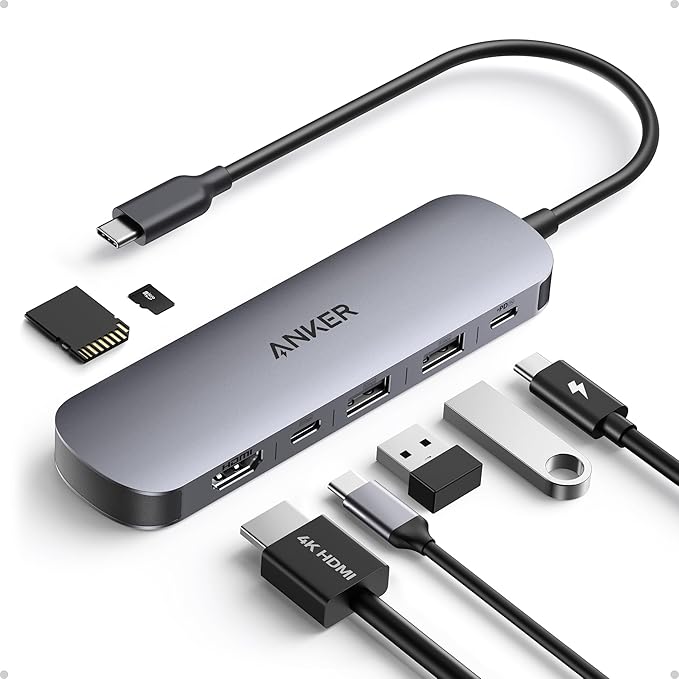
Few things disrupt a high-performance workflow faster than a failing peripheral. For many professionals, the USB-C hub is the central nervous system of the workstation; when it falters, the entire ecosystem collapses. This was recently brought home when my previously reliable U-Green hub began exhibiting severe signal degradation. What started as minor flickering escalated into full-blown chromatic aberrations – colors were shifting, and no amount of cable swapping or hardware reboots could stabilize the output.The goal for its replacement was clear: I needed a robust solution to drive a 4K TV as a primary workstation monitor. The replacement of choice was the Anker Nano 7-in-1 USB-C Hub.* Transitioning to this device provided a masterclass in the technical nuances of modern connectivity and what it actually takes to achieve a stable 4K @ 60Hz environment.
Thermal Integrity and the Aesthetic Trade-off
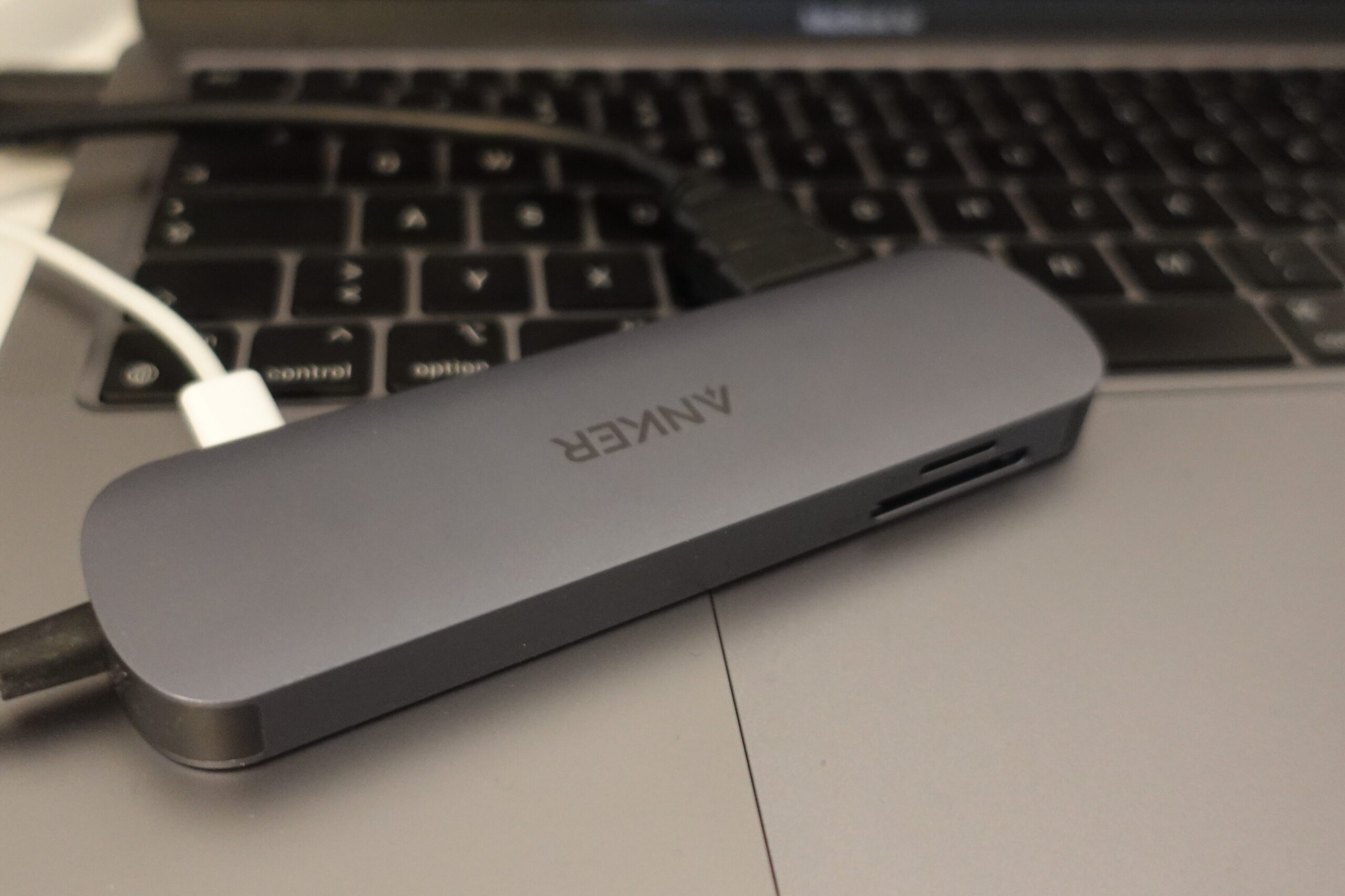
Hardware specialists often preach that build quality is about more than just “feel,” and the Anker Nano supports this. Frequently found at a heavy discount – dropping from €30 to roughly €20 – the hub features a premium aluminum chassis. While this gives it a tactile quality similar to a MacBook, its importance is functional: high-bandwidth 4K data transfers generate significant heat. An aluminum housing acts as a passive heat sink for the internal controller chips, ensuring sustained performance without thermal throttling. Interestingly, for those who prioritize a seamless desk aesthetic, the Anker Nano presents a slight dilemma. While the build is high-quality, its finish isn’t a perfect match for Apple’s Space Gray, leaning closer to the darker “Midnight” or black variants. Paradoxically, the failed U-Green hub actually offered a superior color match to the MacBook’s chassis. However, for a device that often lives hidden behind a display or tucked into a cable tray, the Anker’s superior thermal dissipation is a more valuable asset than a perfectly matched pantone.
The USB-C Identity Crisis: Navigating Port Limitations
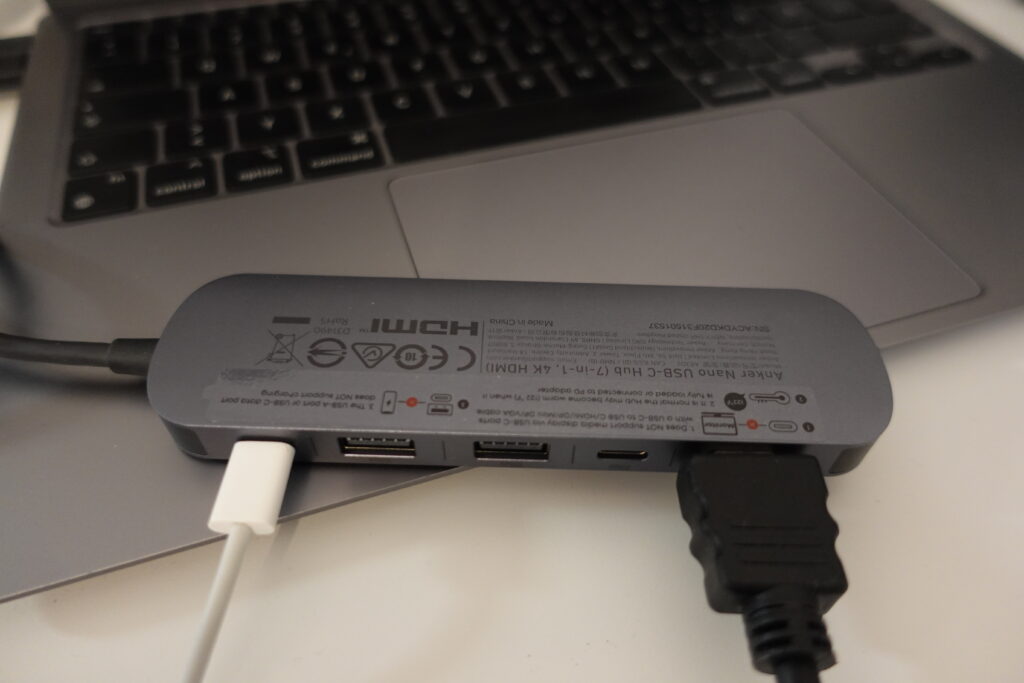
One of the most dangerous assumptions in modern hardware is that all USB-C ports are created equal. The Anker Nano 7-in-1 is a highly capable tool, but its utility is defined by its limitations. The port configuration is as follows:
- 1x Micro SD & 1x SD Slot
- 1x USB-C (Power Delivery input only)
- 2x USB-A 3.0 (5 Gbps bandwidth)
- 1x USB-C Data Port (5 Gbps)
- 1x HDMI Port (The 4K @ 60Hz output)
To avoid setup frustration, one must respect the “fine print” of the device’s architecture. As noted in the manufacturer’s documentation:”The USBA or USBC data port does not support charging… and does not support media display via USBC ports. “This is a critical distinction for the “lifestyle” pro. You cannot use the data ports to fast-charge your phone or daisy-chain a second DisplayPort-over-USB-C monitor. Each port has a specific, hard-coded role.
Why 60Hz is the Baseline for Professional Sanity
When utilizing a large-format 4K TV as a monitor, the HDMI 2.0 spec (supporting 60Hz) is the absolute “star of the show.” Many budget hubs claim “4K support” but neglect to mention they are capped at 30Hz. In a productivity context, 30Hz is unusable. It isn’t just about visual smoothness; it’s about input latency and frame-to-frame persistence. At 30Hz, the mouse cursor feels “heavy,” and dragging windows across a 4K canvas results in jarring ghosting. As the saying goes: “30 Hz you can really tell and it doesn’t feel good; it looks great but it doesn’t feel great.” Beyond the tactile feel, the 60Hz handshake is often what allows the OS to correctly negotiate scaling. At 4K, proper scaling is the difference between a usable workspace and a screen where every window is gargantuan and poorly defined.
The Power Delivery “Hack” for Handshake Stability
Achieving 4K @ 60Hz is rarely as simple as “plug and play.” During initial testing, the hub often defaulted to a 30Hz refresh rate. Solving this requires a systematic approach to hardware handshaking:
- OS Reboot: To clear the display cache and force a new EDID (Extended Display Identification Data) handshake.
- Display Hard-Reset: On Samsung displays, this involves holding the power button until the manufacturer logo appears, clearing the TV’s internal HDMI buffer.
- The PD Overhead Hack: The most effective tactic was moving the laptop’s power cable from the MacBook’s secondary port directly into the hub’s Power Delivery (PD) port.The technical reasoning is sound: driving a 4K @ 60Hz signal requires the HDMI controller to maintain a specific voltage and high-bandwidth negotiation. When the hub is “bus-powered” (drawing from the laptop), it may operate in a low-power state. Providing direct PD to the hub ensures the controller has the necessary wattage to maintain a stable 60Hz signal.
The Mystery of the Throttled SSD
Even with a successful display setup, technical hurdles remain. A speed test with a Samsung T3 SSD yielded a surprising 165 MB/s – far below the 5 Gbps theoretical ceiling of the USB 3.0 ports. While this could indicate a hardware bottleneck within the hub’s controller, there is a more likely “lifestyle” culprit: improper ejection. If a drive is pulled without a software unmount, macOS and Windows often flag the drive for a File System Check (fsck). Until that background process completes and the drive is verified, the system may throttle throughput to protect data integrity. It serves as a stark reminder that software hygiene is just as important as hardware specs for maintaining peak performance.
Final Thoughts
The Anker Nano 7-in-1 is a testament to the fact that making a modern monitor “usable” requires more than just a cable. It is a tool that demands an understanding of its internal logic. While it may not be a perfect aesthetic clone for Space Gray, its ability to reliably drive 4K @ 60Hz – once the Power Delivery nuances are understood – makes it a formidable asset.In the end, we have to ask: in an era of increasingly complex connectivity, is the era of “it just works” over, or are we simply entering an era where every user must become their own hardware specialist? For those of us who value a 60Hz fluid workspace, the technical overhead is a small price to pay.
Buy on Amazon*: https://amzn.to/4aVEgAq
*If you use my links, I may earn a commission